 Photo
PhotoOpen versus Place
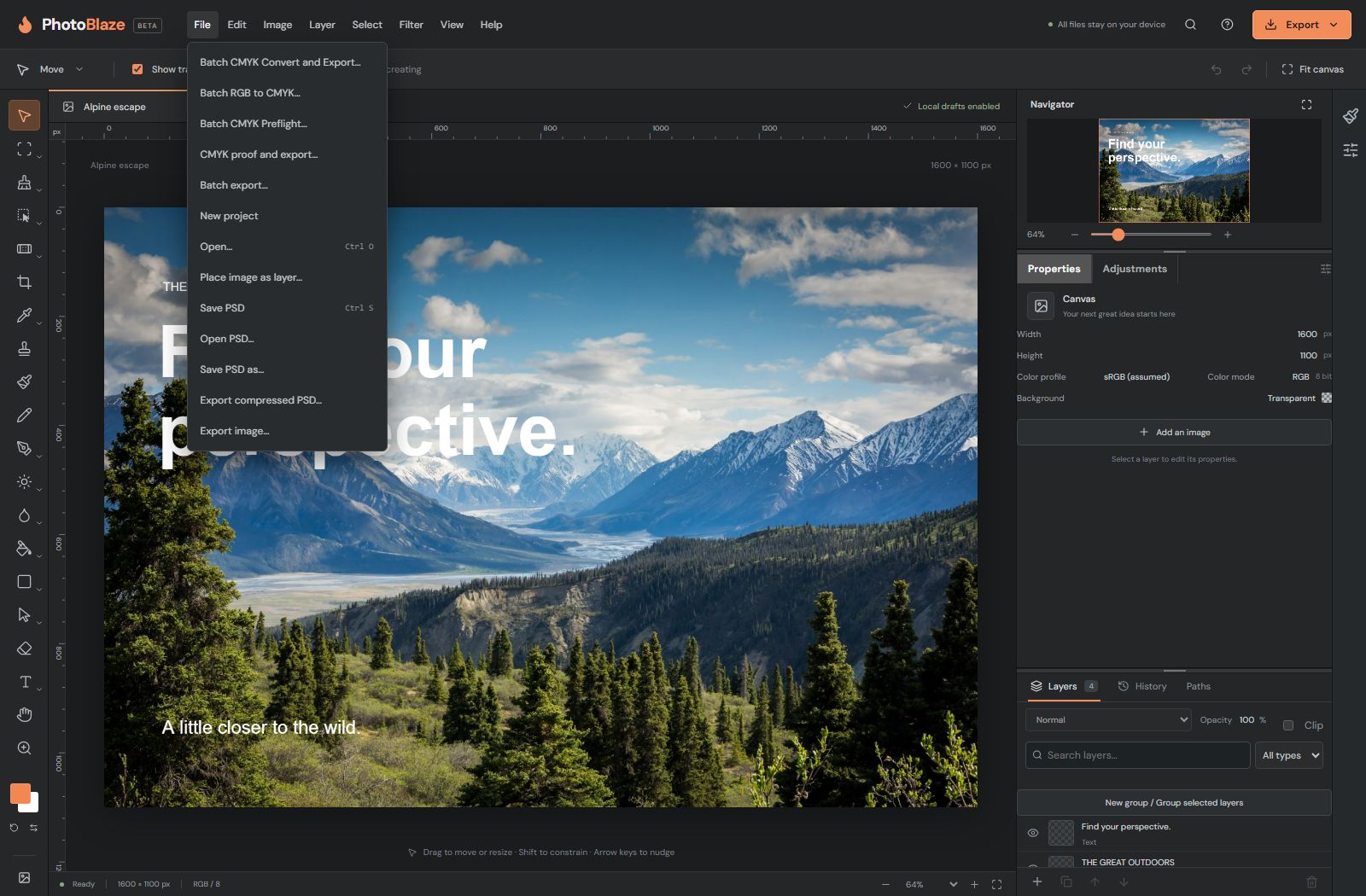
Open creates a separate document. Place image as layer adds an image to the active document so you can composite it with existing layers. If you accidentally place a photo, undo the placement and open the file instead.
PSD is the editable interchange format. Opening a PSD may present import options or warnings; read these before accepting. A layer that looks like text can be a raster image if the source file was flattened or rasterized.
Save PSD versus Export image
| Task | Use | Result |
|---|---|---|
| Continue editing later | Save PSD | A downloadable layered document with supported editable features. |
| Share a finished photograph | Export JPEG | A flattened image without transparency. |
| Keep a transparent background | Export PNG | A flattened image that can retain transparent pixels. |
| Resume after reloading this browser | Browser recovery | A local checkpoint, not an independent backup. |
Export does not replace saving the editable document. Use a descriptive filename and save milestones, such as portrait-01.psd and portrait-final.psd. Reopen important PSDs to confirm that the features you need remain editable.
What “Saved in this browser” means
PhotoBlaze saves completed edits locally in browser storage. A recovery checkpoint can restore open documents after a reload. It is tied to this browser profile and website origin: localhost and photo-blaze.com have separate storage.
Clearing site data, using a different browser or computer, private browsing, storage limits or a browser failure can prevent recovery. An unfinished gesture or text edit may not be in the last checkpoint. Undo history and your exact viewport are not a backup.
Wait for the saved status after editing. If a storage warning appears, download a PSD immediately; use Retry if offered after freeing storage. Never clear site data as your first troubleshooting step when you have unsaved work.
Choose a format deliberately
HEIC/HEIF and JPEG XL photos can be opened; their presence in Open does not imply an export encoder for the same format. Camera RAW decoding depends on the camera and file variant. A linear DNG exported from edited pixels is not the original camera sensor data. Headerless RAW and photography DNG are different formats.
SVG and PDF image export are not a promise that every layer will remain a native vector object. For exact format capabilities and limitations, see supported file formats.